Skip to content
AI product photography workflow

A full product shoot
from one packshot.

This is the exact workflow behind our AI Product Shoots post. Every shot in it started from one plain photo of the cans. Copy the prompts, swap in your product, and run it yourself in Ad Machine.

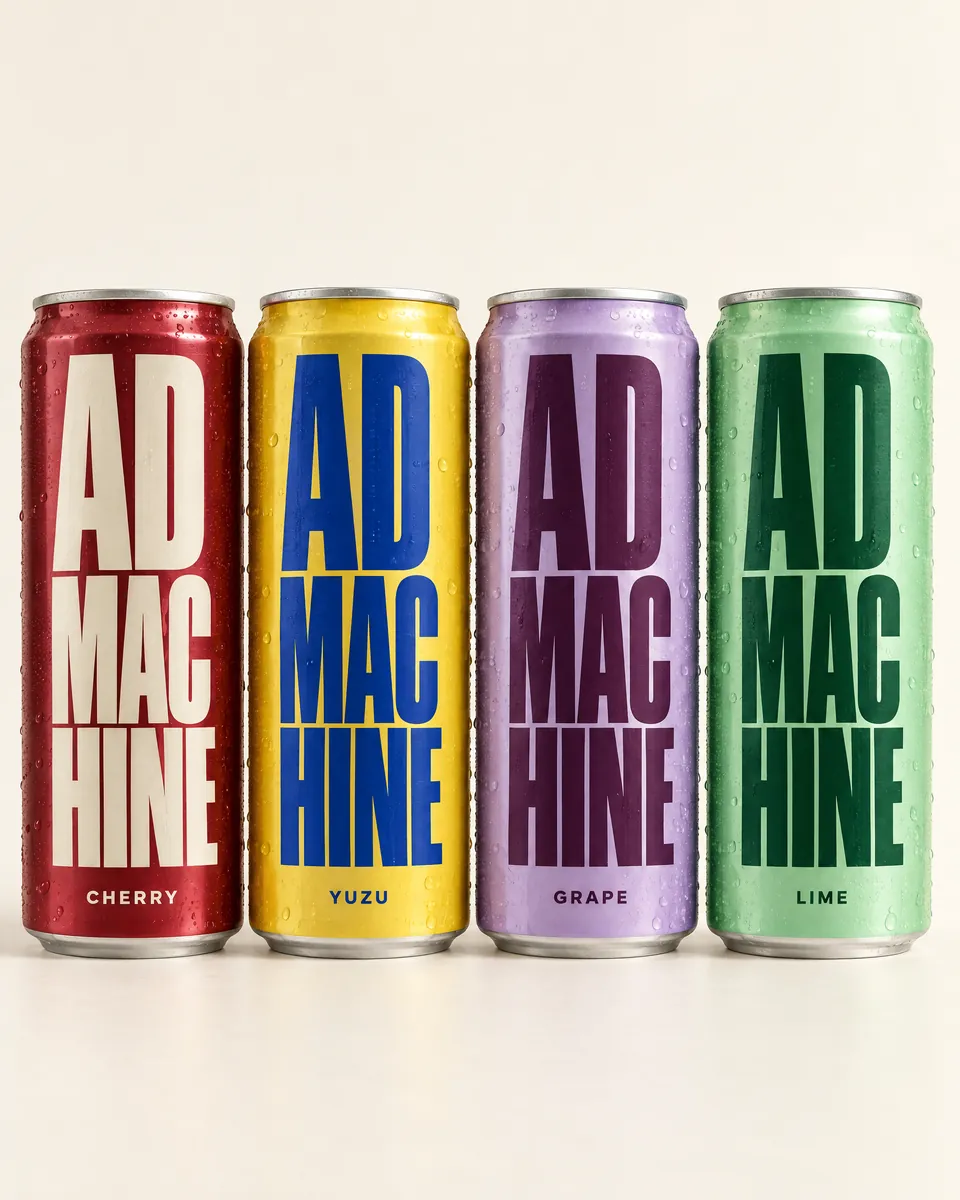
The starting packshot: four Ad Machine soda cans on a plain background
Your packshot
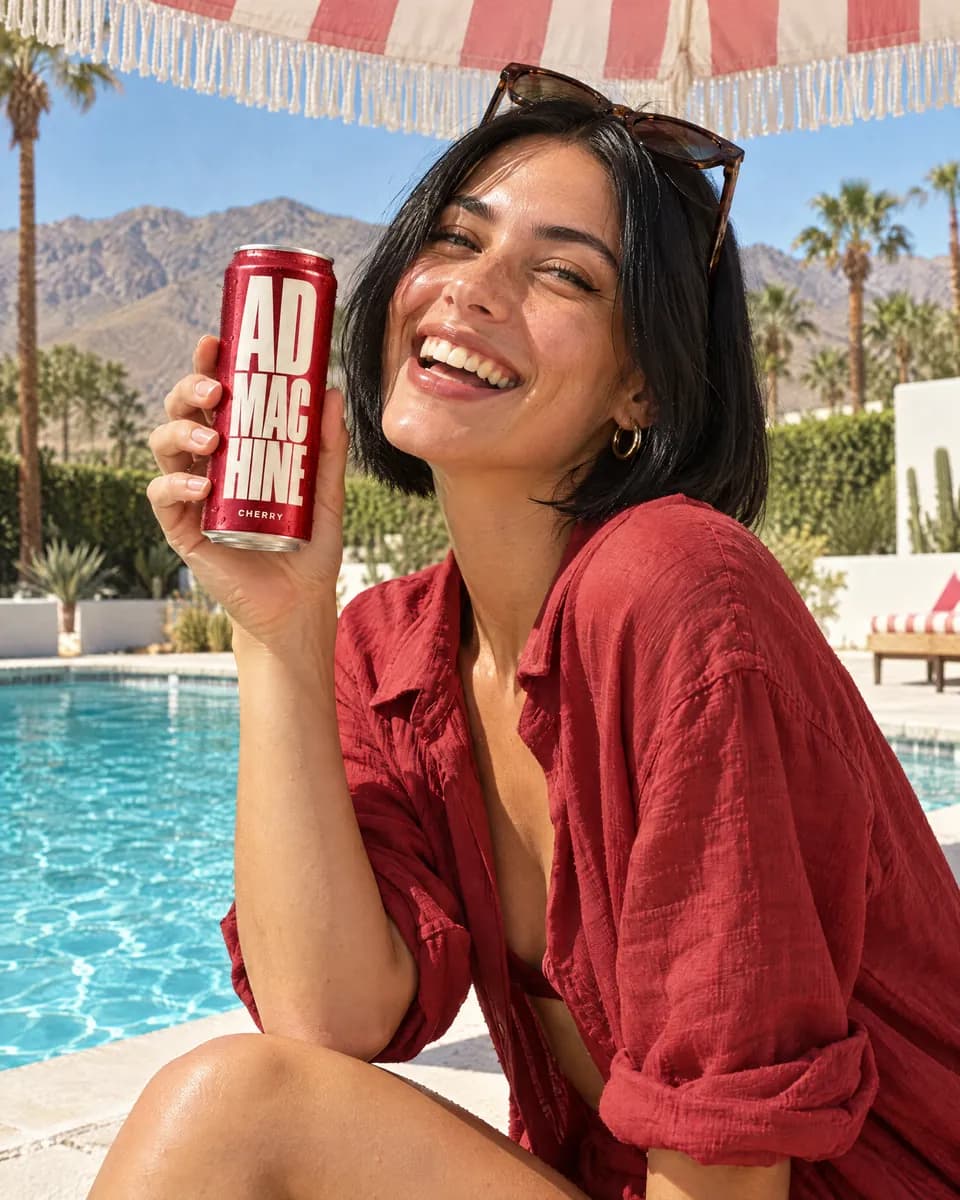
A laughing woman by a desert pool holding a cherry Ad Machine can
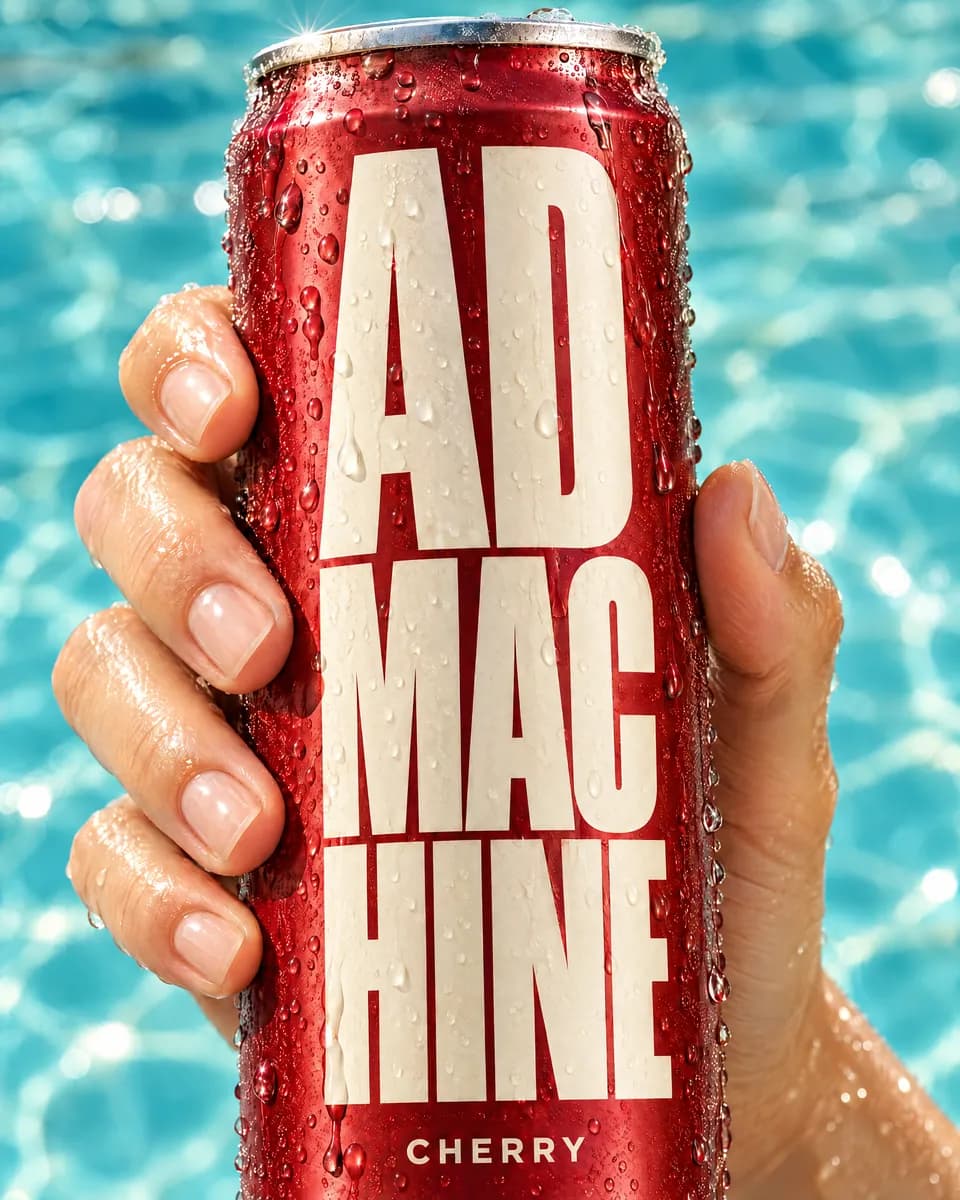
A hand gripping an ice-cold cherry can covered in condensation over a pool
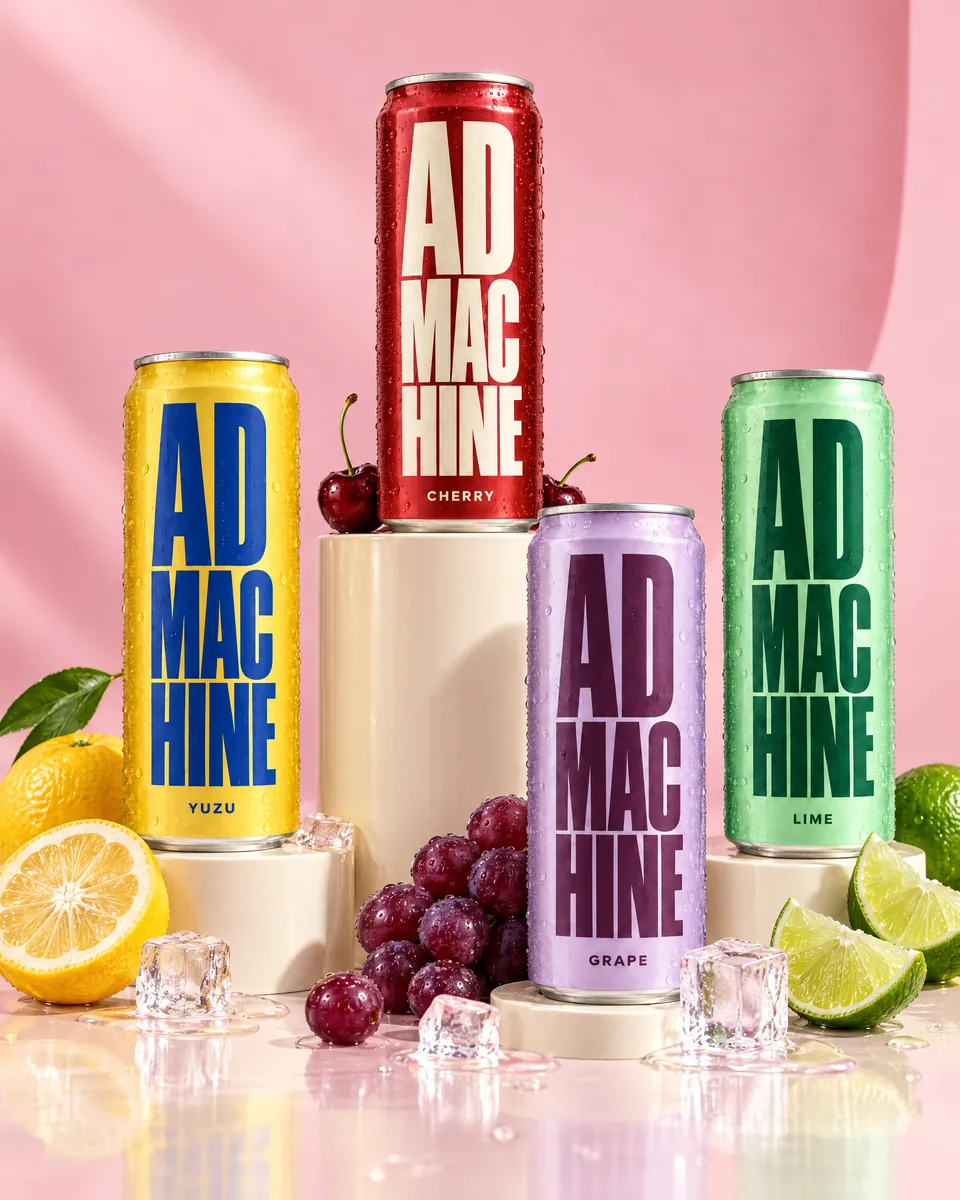
Four flavours of Ad Machine soda on cream plinths with fruit and ice on a pink set
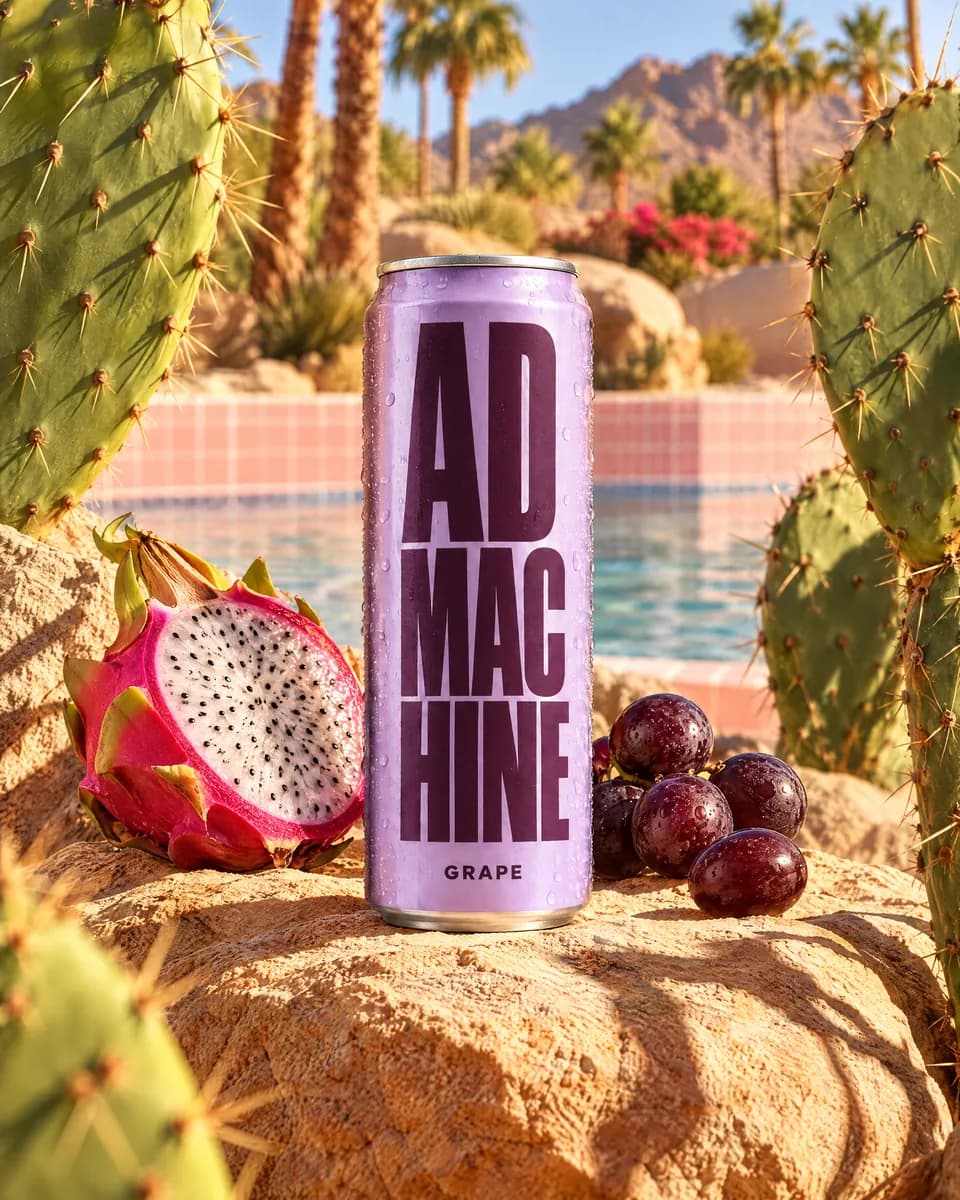
A grape can standing on a desert rock between cacti with dragon fruit and grapes
The workflow

Five steps, one packshot.

  1. 1

    Start with one clean packshot

    A straight-on photo of the product on a plain background, label facing the camera, in sharp focus. A phone photo by a window works. For a range, put every variant in one photo.

  2. 2

    Open Imagine and pick GPT Image 2.5

    In Ad Machine, open Imagine, choose Image, then GPT Image 2.5. Start from “Edit an image” and add your packshot. Under More sizes, pick a tall portrait size (we used 2304 × 2880, a 4:5 feed crop) and set quality to High.

  3. 3

    Lock the product, then direct the shot

    Paste the product lock first, then one shot prompt. Say who, where, the light and the lens, the way you'd brief a photographer. One idea per prompt.

  4. 4

    Check the label, fix with words

    Zoom in on every result. If anything is off, send it back through “Edit an image” with one short instruction and “change nothing else”.

  5. 5

    Make it move

    Hit Animate on your favourite shot to turn it into a video for Reels and Stories.

Start every prompt with the product lock.

It tells the model your packshot is the source of truth, so the label, colours and type come through untouched in every shot.

Product lock

Keep the product from the attached photo exactly as it is: same shape, colours, materials, label text and typography. Do not redraw, restyle or translate the label.

The shot list

The prompts we used.

Paste the product lock, then one of these. Swap the setting, people and props for your brand and keep the structure: subject, place, light, details.

A laughing woman by a desert pool holding a cherry Ad Machine can
Shot 1

Lifestyle hero

Your cover image and best scroll-stopper.

Prompt

Photorealistic summer lifestyle photo for a drinks ad. A smiling woman in a loose linen shirt sits by a desert pool in Palm Springs, holding the can up near her face with the label facing the camera. Striped umbrella fringe across the top of the frame, mountains and palm trees behind. Bright midday sun, natural skin texture, shot on a 35mm lens.
A hand gripping an ice-cold cherry can covered in condensation over a pool
Shot 2

Close-up

Proves the detail: label, texture, finish.

Prompt

Tight close-up of a hand gripping the ice-cold can against sparkling pool water. Heavy condensation and water droplets on the metal, the label filling most of the frame and perfectly readable. Hard summer sunlight, crisp detail, no jewellery on the hand.

Four flavours of Ad Machine soda on cream plinths with fruit and ice on a pink set
Shot 3

Studio shot

Your clean range shot for product pages and catalogue ads.

Prompt

Studio product photo of all four flavours on cream plinths of different heights against a soft pink seamless backdrop. Fresh cherries, lemon, grapes, lime and ice cubes arranged around the plinths. Soft, even studio light with gentle shadows, every label facing the camera.

A grape can standing on a desert rock between cacti with dragon fruit and grapes
Shot 4

On location

Puts the product somewhere worth stopping for.

Prompt

The can standing on a sunlit desert rock between tall cacti, a halved dragon fruit and a bunch of grapes beside it, a pool and palm trees softly blurred behind. Warm afternoon light, crisp shadows, travel magazine feel.

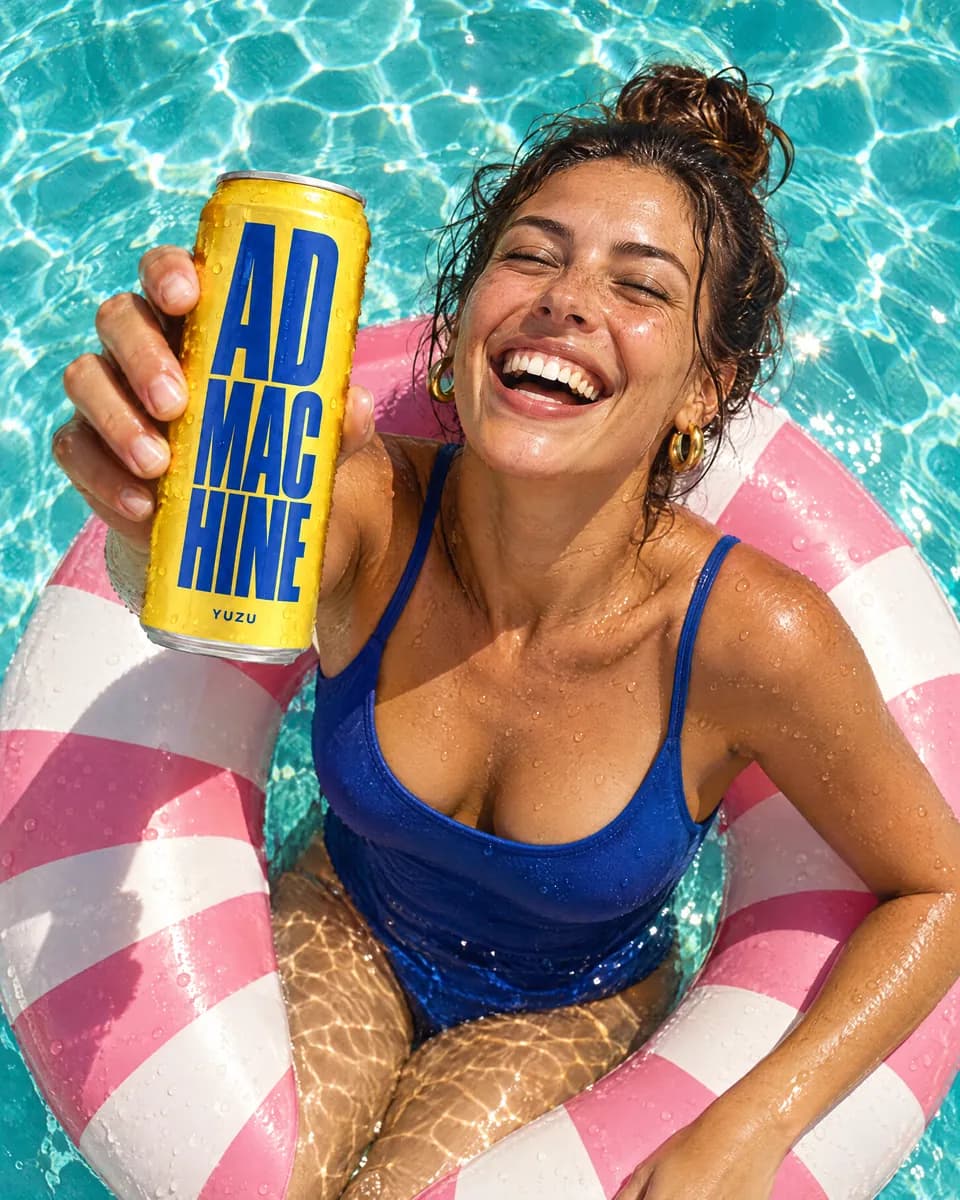
A woman floating on a striped pool ring, laughing and holding up a yuzu can
Shot 5

With people

Brings emotion and scale, the shot that feels like UGC.

Prompt

Candid photo from above of a laughing woman floating on a pink and white striped pool ring, holding the can up toward the camera with the label facing forward. Turquoise water, bright sun, natural skin texture and real joy.

Fix, don’t reshoot

Change one thing. Keep the rest.

Our close-up came back with a ring we didn’t want. Instead of starting over, we sent the shot back through “Edit an image” with one line.

Edit prompt

Remove the gold ring from her finger. Replace it with bare skin that matches the tone, droplets and lighting. Change nothing else.

  • Name one change per edit
  • End with “change nothing else”
  • Zoom in on the label before you post
The finished close-up after the edit

Your product, your shoot.

Bring one photo. Imagine shows the exact price before anything is created.

Start your shoot